
Framerly
For picture framers

The right price.
A real preview.
A happy customer.

Enter the size, pick a moulding. Framerly adds up moulding, glass, mat, waste and labour into one selling price — and your customer sees the frame on a real wall.

Coming soonApp StoreComing soonGoogle Play

iPhone, iPad, Mac and Android · 15 languages · 3 days free

2 minutesfrom setup to your first price
14 + 6ready mouldings, incl. a real-texture range
15 languagescurrency and units for your country
4 devicesthe same records on phone, tablet, Mac and Android
Setup

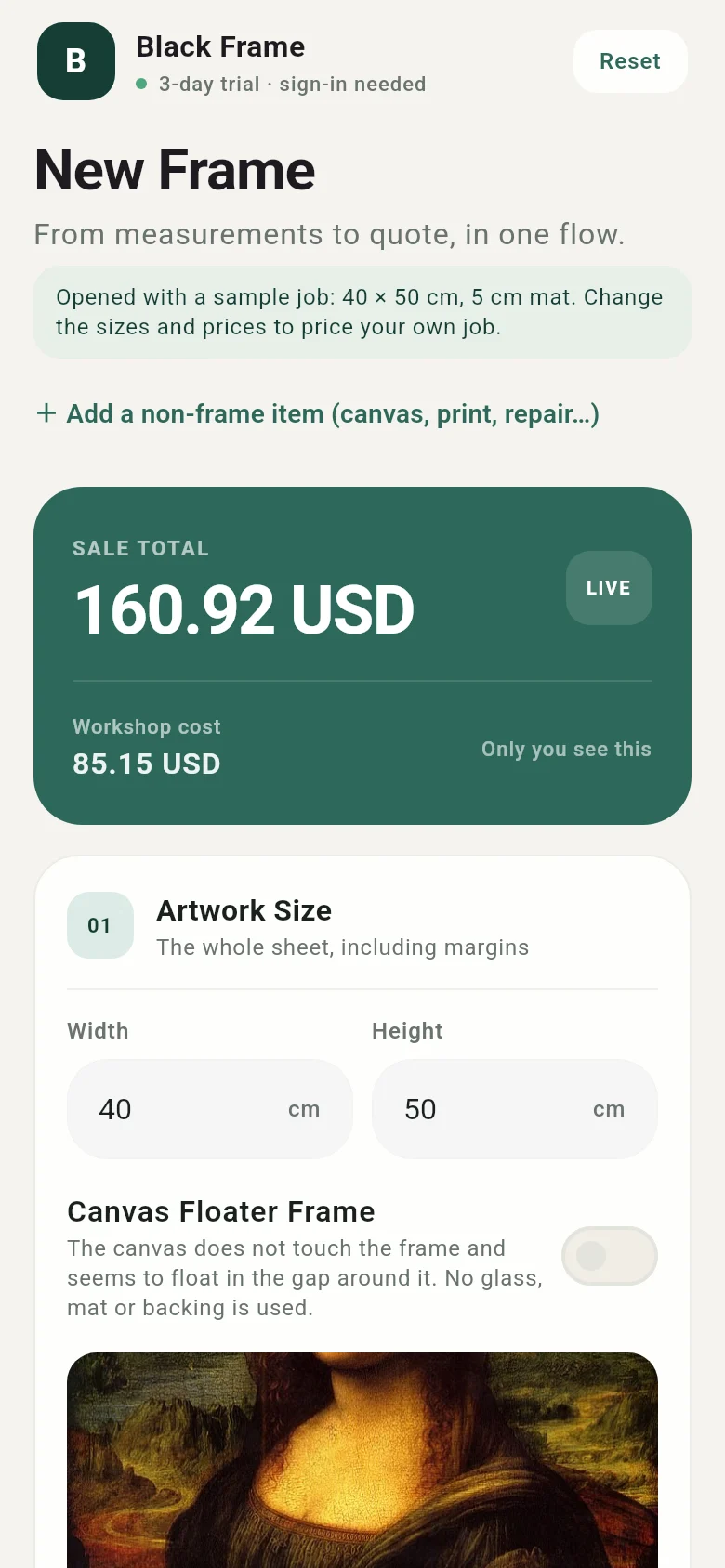
Your first price, ready in two minutes

No blank screen. Answer a few questions; Framerly sets up your workshop with prices for your region and opens the real calculator with your first job.

  1. Language, country and currencyPrices start from regional estimates; enter your own whenever you like.
  2. What do you do?Framing workshop, artist, gallery, photographer or interior designer.
  3. A photo of the artwork and its sizeCanvas or framed piece? If you stretch the canvas, stretcher bars are costed too.
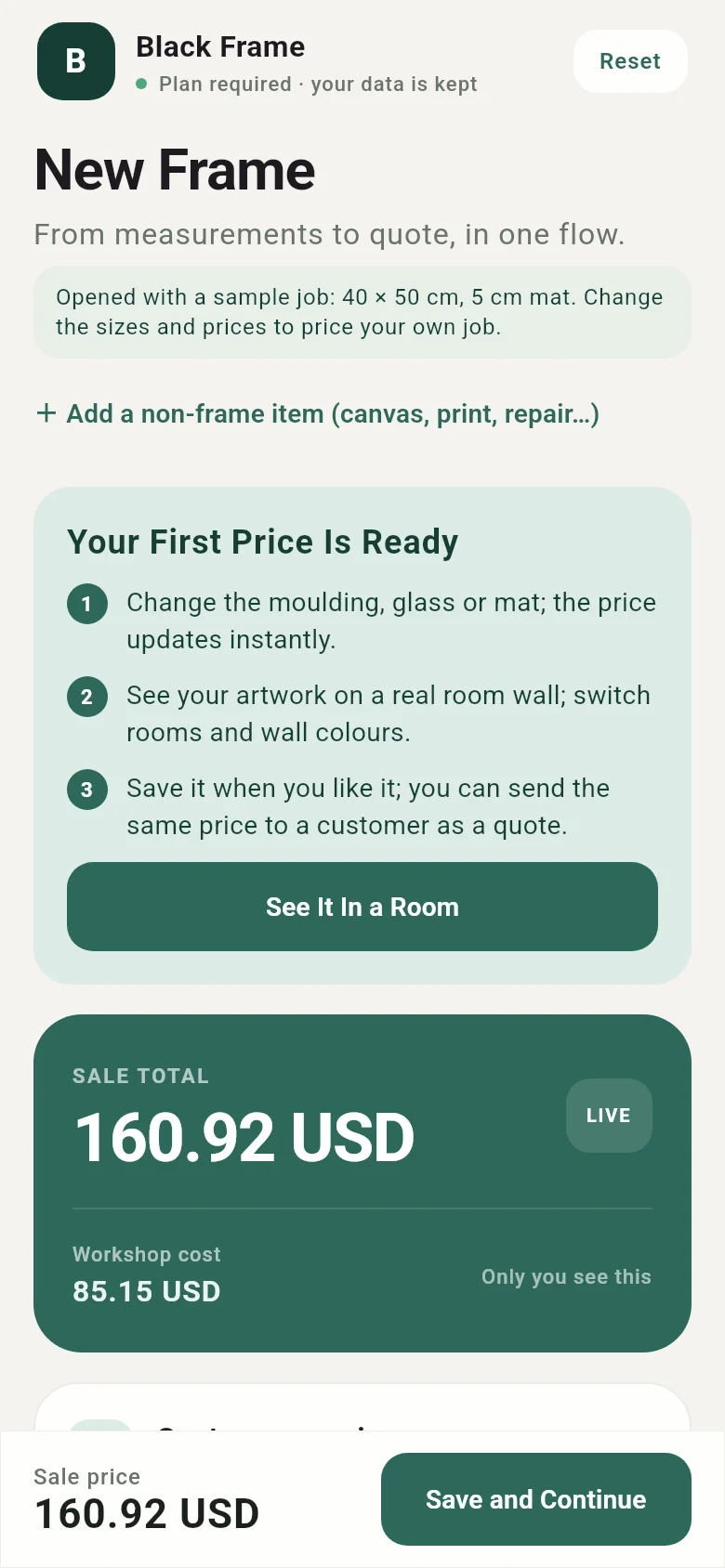
  4. Choose the frameClassic, modern or a ready-made range with real textures — your artwork is previewed in each one.
Choosing a frame during setup: Monet's Woman with a Parasol previewed in each moulding
Try it yourself

Change the size, watch the price update

Artwork
cm
cm
Mat
Moulding
Selling price
$0.00
Workshop cost$0.00
Price breakdown

Uses sample prices; sizes are the artworks' real dimensions. In the app, your own moulding, glass, mat and labour prices are used.

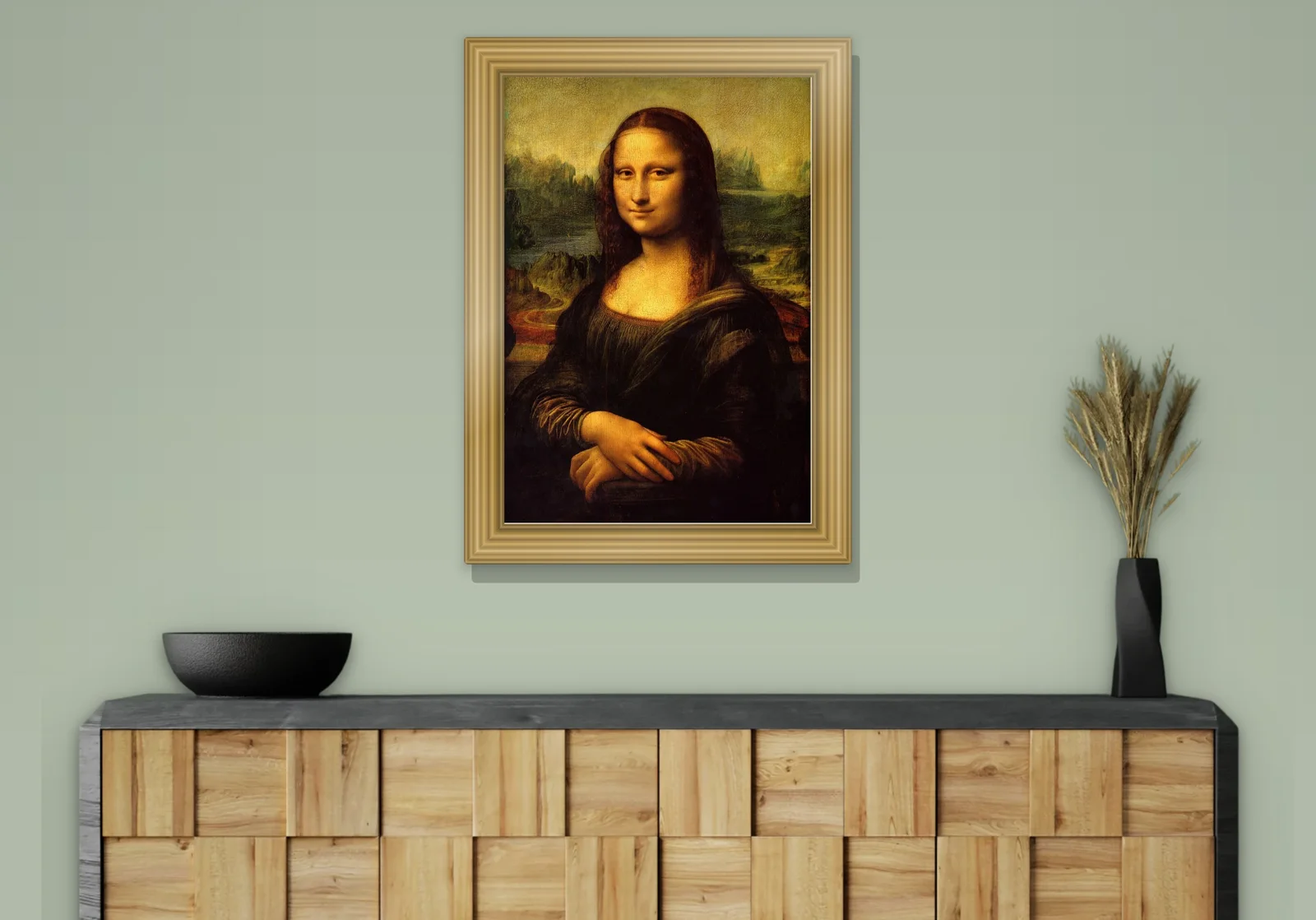
Leonardo da Vinci, Mona Lisa, 1503–1519 · public domain

Features

One app for every job on the bench

When you quote, when you show the customer, when you track the order and when you close the month.

Priced from the size, no calculator needed

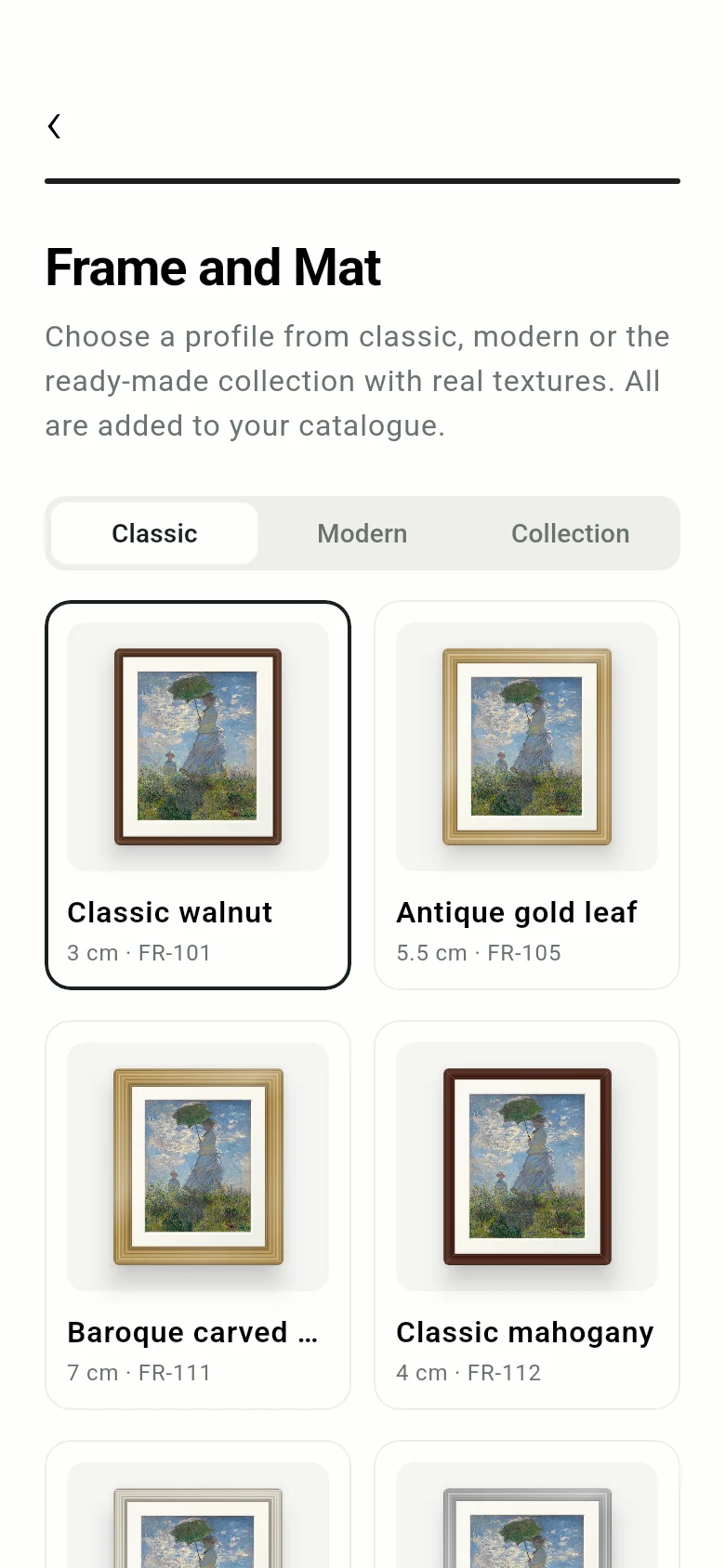
Enter width and height, pick a moulding. Moulding length with waste, glass and mat by area, plus your labour and markup, become one selling price. The workshop cost appears on your screen only.

  • Double and triple mats; gold, silver, black and white slips
  • Float frames for canvas, and stretcher bars
  • Mirrors and shadow boxes, with a choice of box colour
  • PDF quote for the customer with a framed preview
Calculator screen with selling price, artwork size and moulding

Let the customer see it on the wall

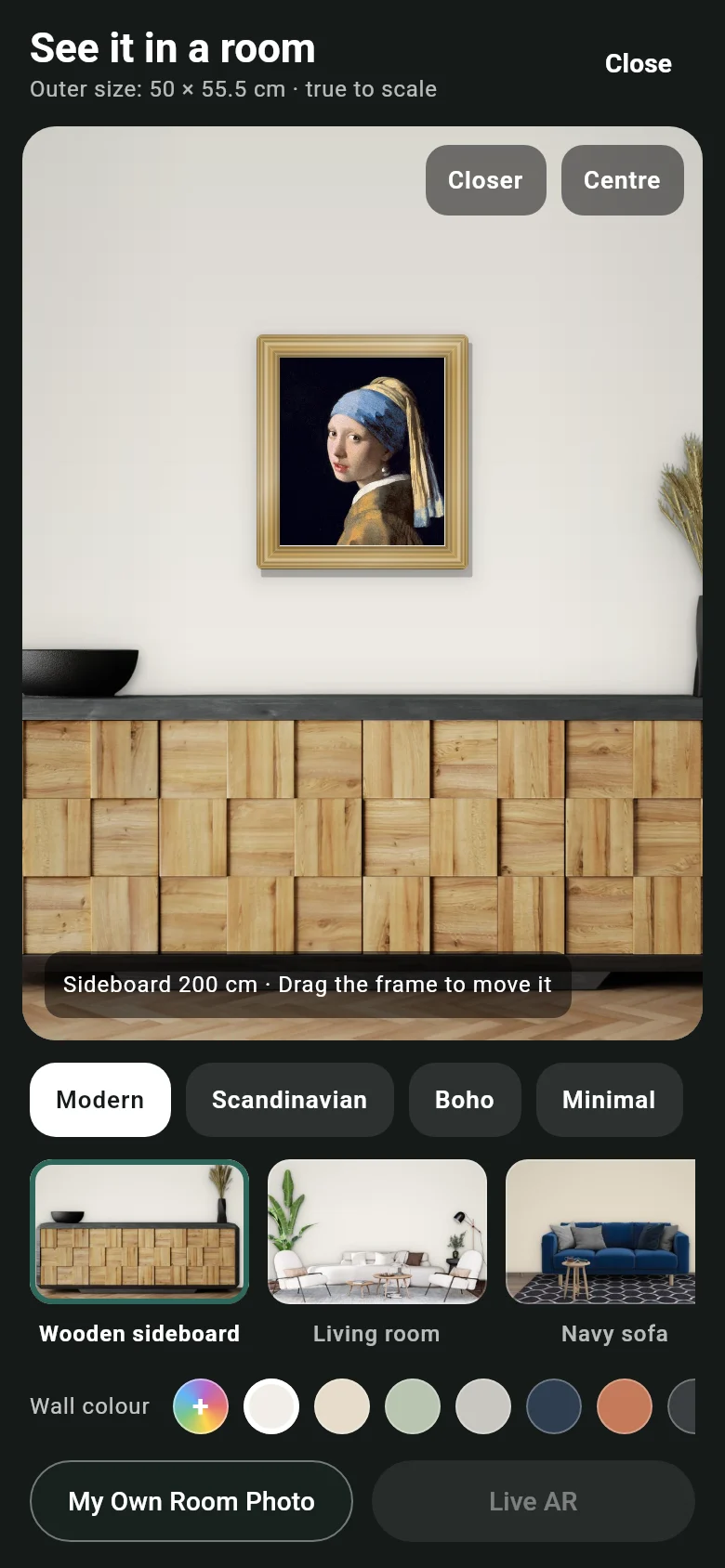
Take a photo of the artwork; the chosen moulding and mat appear on it at true proportions. Hang the frame at real scale in ready-made rooms, change the wall colour, or use a photo of the customer's own room.

20 ready colours, plus your own
  • Backgrounds of medals, jerseys and badges removed on the device
  • Live AR to show it on the customer's own wall
The Starry Night in a walnut frame above a navy sofa
Van Gogh, The Starry Night · 92 × 74 cm, at real scale in a ready-made room
See in a room: Girl with a Pearl Earring, room choice and wall colour palette

Orders, deposits, due dates

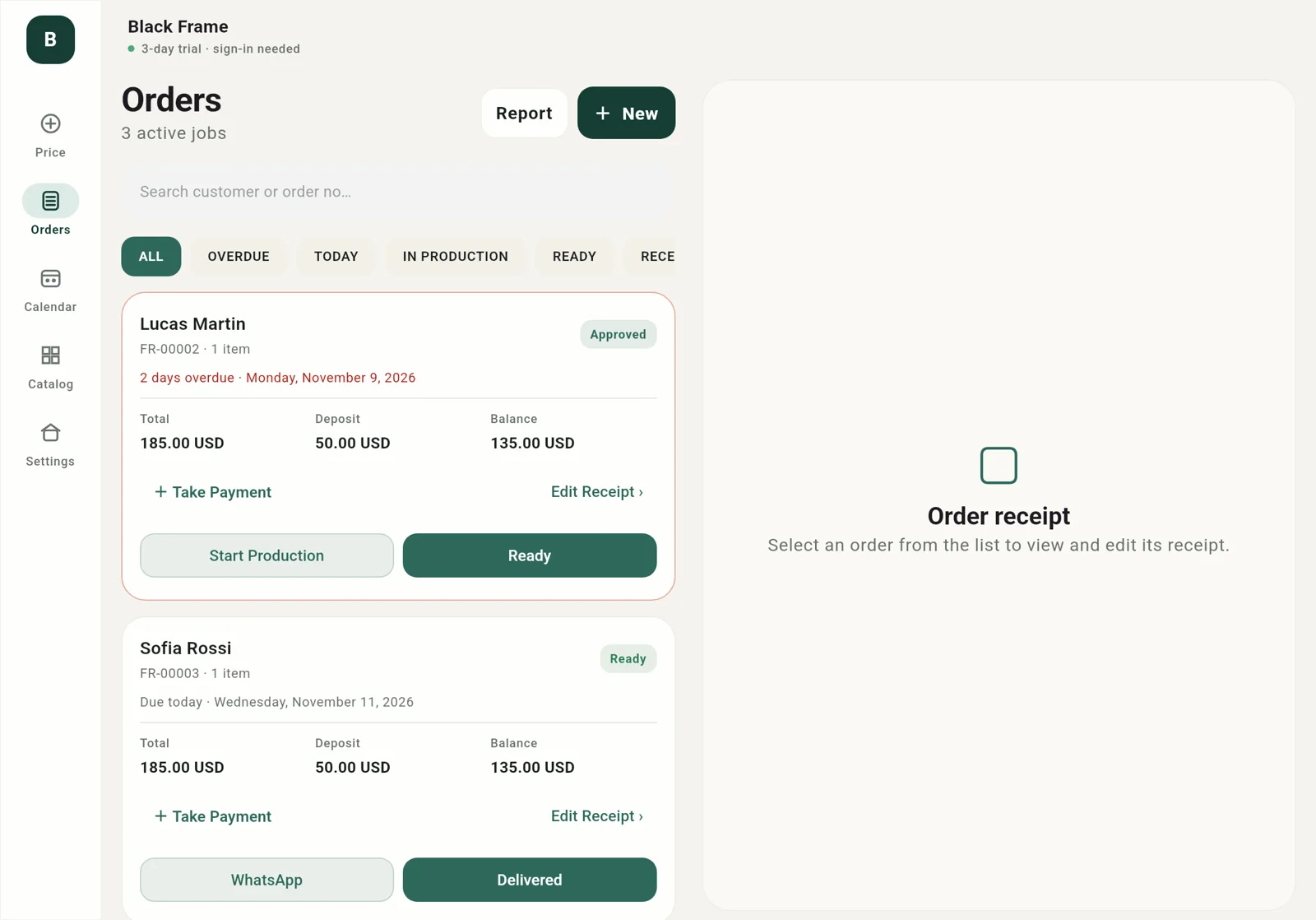
An approved quote becomes an order. Record the deposit and the balance; spot overdue jobs at a glance. When a job is ready, tell the customer with a ready-made WhatsApp message.

  • Order slip and delivery note as PDF
  • List and slip side by side on iPad and Mac, with keyboard shortcuts
Orders and order slip on iPad

Calendar, catalogue and monthly report

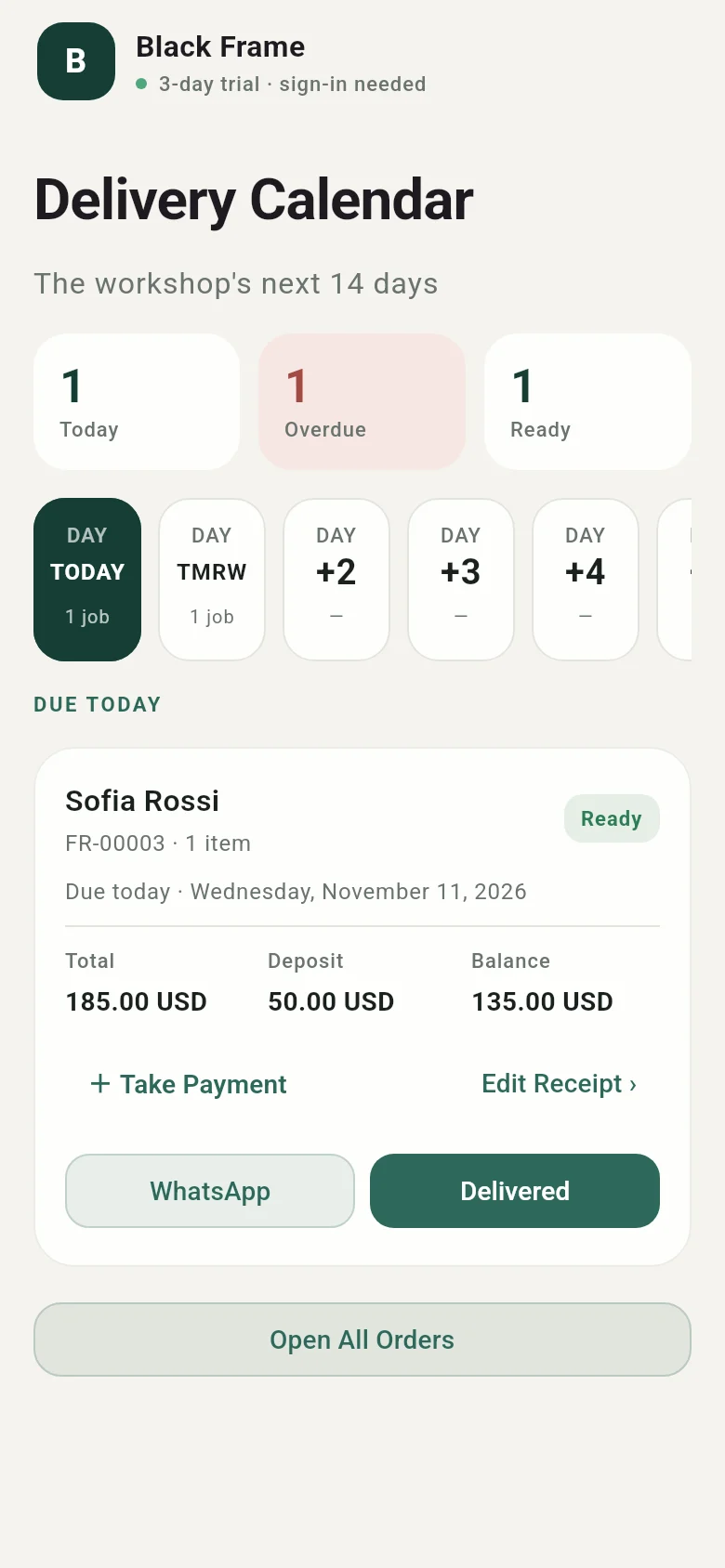
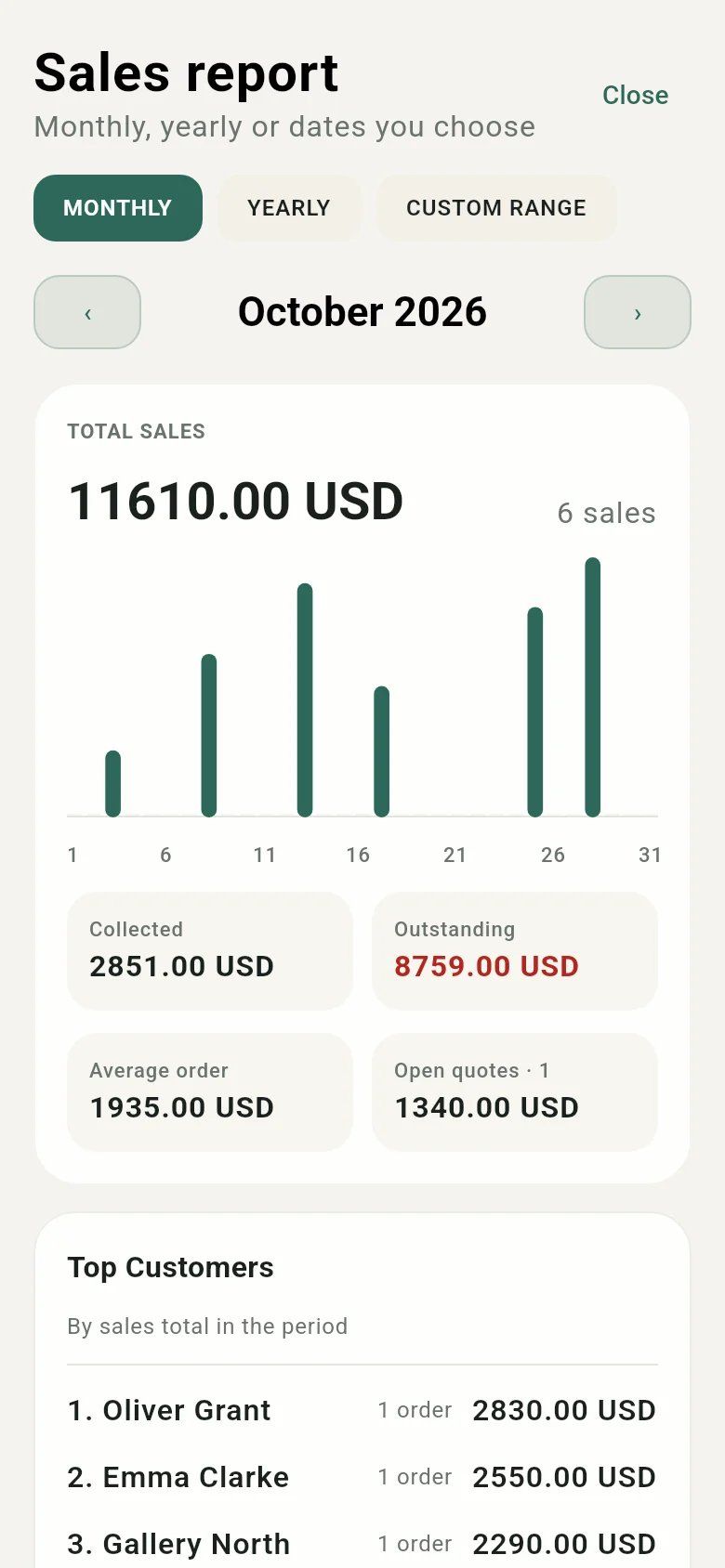
See today and the next two weeks in the delivery calendar. Keep your moulding catalogue with supplier codes, and scan catalogue pages with the camera. At month end, sales, payments and open balances in one report — as PDF, or CSV for Excel.

Delivery calendar: today, overdue and ready jobs
Monthly sales report
Pricing

Try it free for 3 days

Every screen is open during the trial. Enter your own prices and catalogue, use it with a real customer, then decide.

3-day free trial

Started from the App Store or Google Play.

  • Every feature of Framerly Pro
  • Cancel before the trial ends and you won't be charged
  • If you don't cancel, the plan you chose begins
Monthly or yearly

Framerly Pro

  • Pricing, cost breakdown and room preview
  • Orders, deposits and payment tracking
  • Delivery calendar and WhatsApp notifications
  • Customer quote, order slip and report PDFs
  • Moulding catalogue, stock and sales reports
  • Cloud sync between phone, tablet and Mac

The price is shown in your local currency on the App Store or Google Play before you buy. Cancel any time from your store account. When a subscription ends the app locks but your data is not deleted; renew and carry on where you left off.

Your data is yours

Records are kept on your device and on servers in Frankfurt over an encrypted connection; each workshop's data is visible only to its own accounts. There are no ads in the app. Privacy policy

In your workshop's language

English, Turkish, German, French, Spanish, Arabic, Japanese and 8 more. Currency, units and date format follow your country.

Your backup, in your hands

Export all workshop data as a single file to iCloud Drive or Google Drive, and restore it on another device.

FAQ

Common questions

Anything else? See the support page or write to us.

Can I use my own prices?

Yes. During setup, prices start from estimates for your region. Change moulding, glass, mat, labour and markup under Settings › Product prices, and moulding prices in the catalogue.

What happens when the trial ends?

If you don't cancel, the plan you chose begins and is charged to your store account. If you cancel, the app locks but your data is not deleted.

Can I use it on more than one device?

Yes. Sign in with the same account on phone, tablet and Mac; orders, catalogue and settings sync, and the subscription applies on all your devices.

Can I add my own moulding catalogue?

Yes. Add mouldings one by one with supplier codes, or scan a catalogue page with the camera to import many at once. You can edit or deactivate the sample mouldings that come with the app.

Set up your workshop in two minutes.

Download the app, answer a few questions and start quoting right away with sample mouldings.

Coming soonApp StoreComing soonGoogle Play